C++ 基础(3):Streams
在 C++ 中,数据可能来源于、或者想写入屏幕、文件或者字符串中。如何统一面对来源、去向以及数据类型完全不同的数据?
本文简单介绍了 stream 作为统一的 I/O 抽象,stringstream 能够将字符串当作流处理,以及 istream 和 ostream 的用法。其中特别注意 getline 和 <</>> 的用法。
A general input/output abstraction for C++.
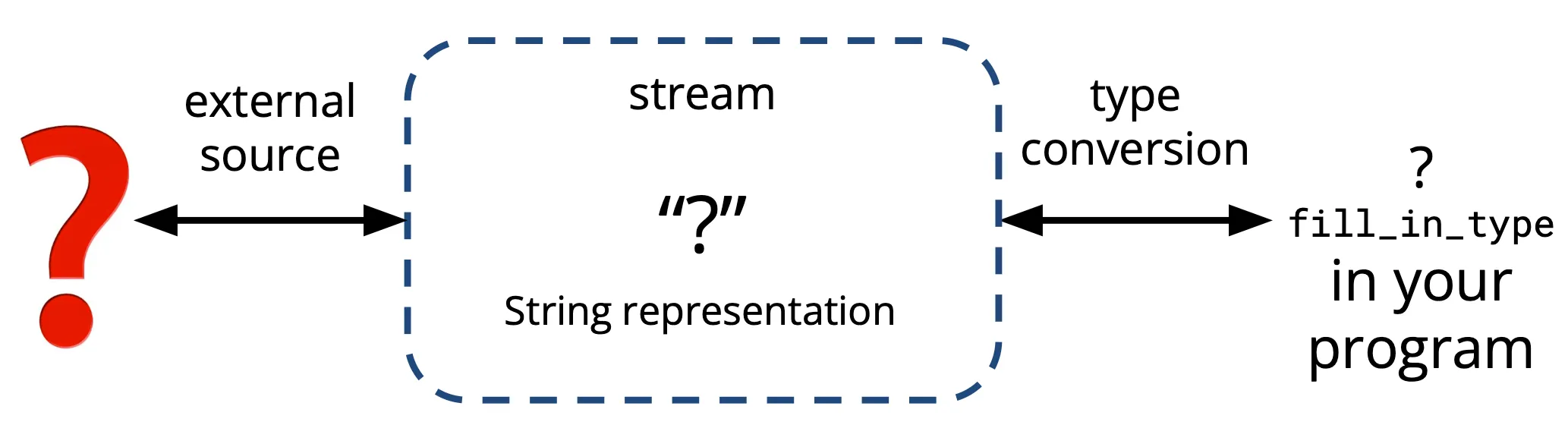 Illustration of C++ streams.
Types of streams. 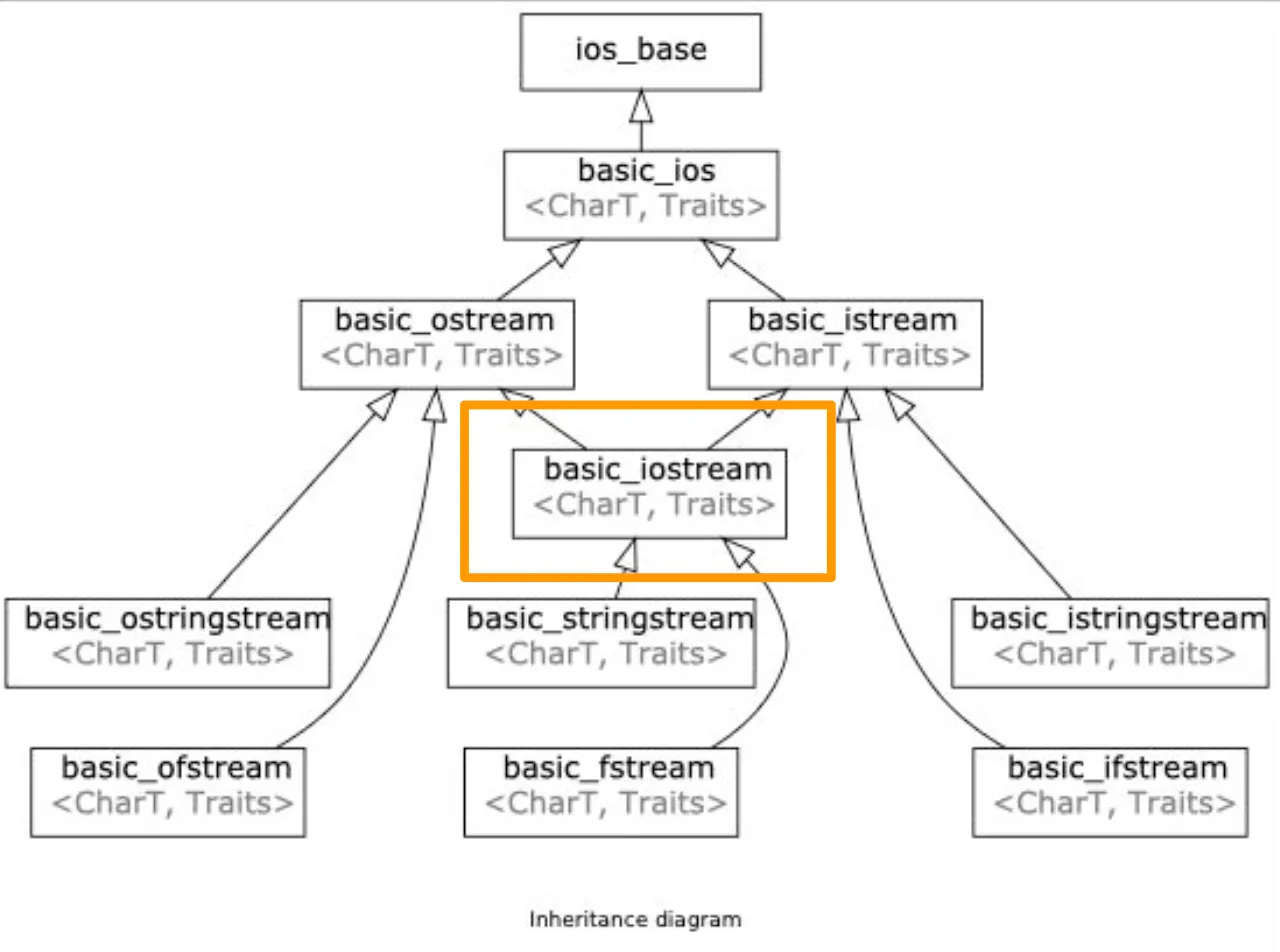 Stream inheritance diagram
I/O stream
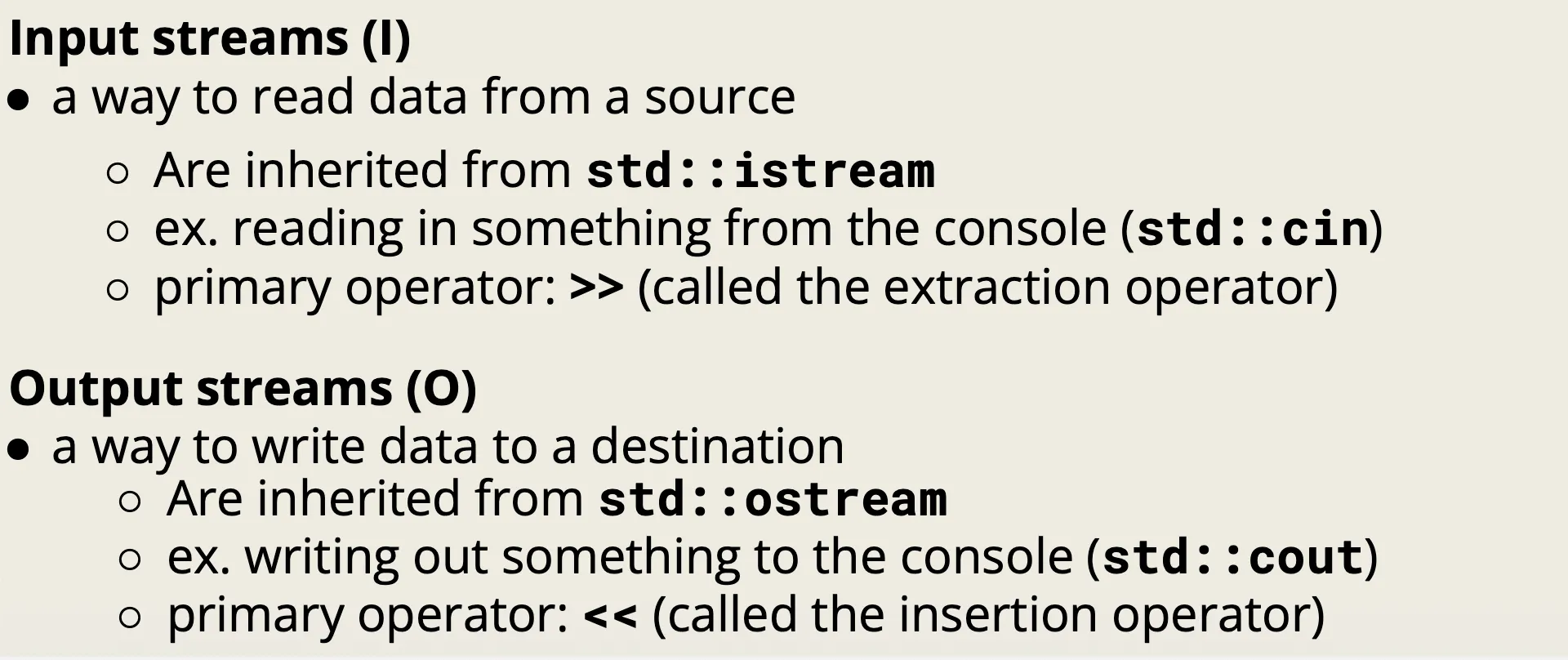 Input streams and output streams
Examples. See next two sections.
Stringstream
std::stringstream treat strings as streams, and are useful for use-cases that deal with mixing data types.
It is both an input stream and an output stream.
#include <sstream>

std::string initial_quote = "Bjarne Stroustrup C makes it easy to shoot yourself in the foot";

// Create a stringstream
std::stringstream ss;
ss << initial_quote; // Insert the quote

// Define the data destinations
std::string first, last, language, extracted_quote;Extraction.
>>operator reads until the next whitespace.- Skips the leading whitespace
- The terminated whitespace is left in the stream.
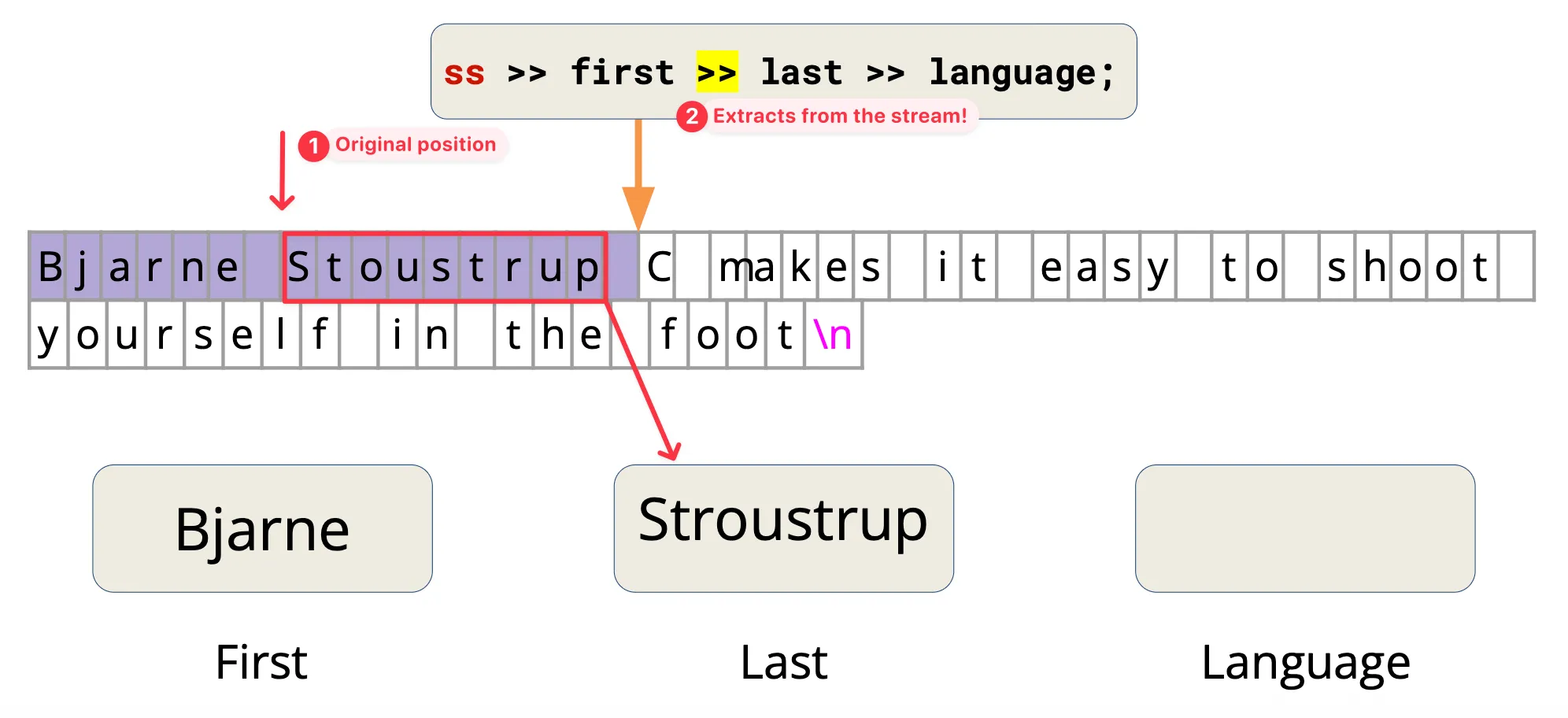 Illustration of sstream extraction.
Example (Continuous extraction).
std::vector<std::string> strvec;
std::string tempstr;

while (ss >> tempstr) {
strvec.push_back(tempstr);
}getlineoperator reads multiple words from the stream until thedelimcharacter (by default\n).- The
delimchar is consumed but not stored - Usually used to read the entire text
- The
The getline() API:
istream& getline(istream& is, string& str, char delim)Note (>> and std::getline):
- The
>>operator skips leading whitespace, but stops reading at the next whitespace character without consuming it. - Therefore, chaining extractions like
ss >> a >> b >> cworks correctly, since each>>skips the leftover whitespace. - However, if we first use
ss >> aand then callstd::getline(ss, d),getlinewill often read an empty string. This happens because the newline character left in the stream by>>is immediately consumed bygetline.
Solution. Use std::ws to consume all whitspaces including \n.
// Extrations
ss >> first >> last >> language;
ss >> std::ws; // Add this line to consume the ' '
std::getline(ss, extracted_quote);
Output stream
A way to write data to a destination/external source
- ex. writing out something to the console (std::cout)
- use the
<<operator to send to the output stream
Flush
std::cout stream is line-buffered.
Contents in buffer not shown on external source until an explicit flush occurs!
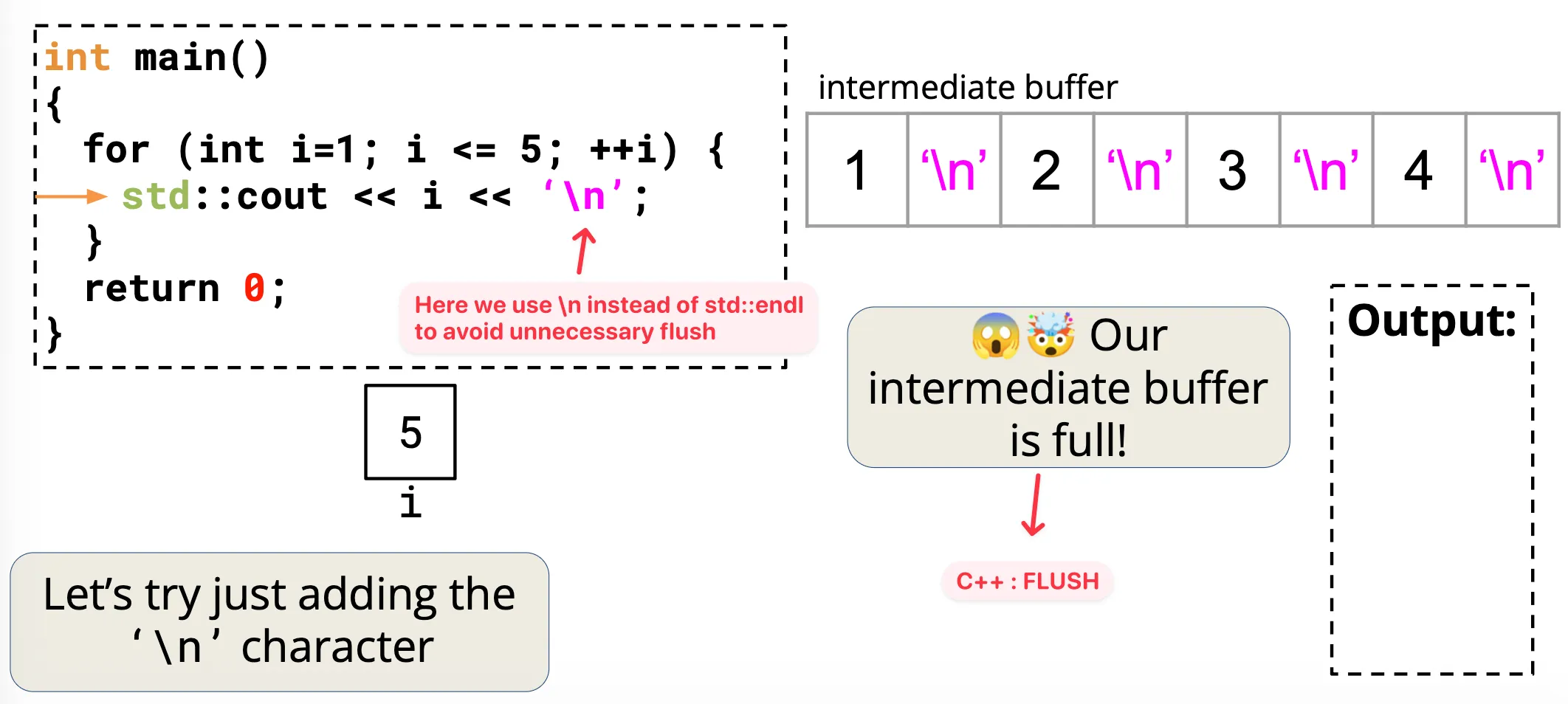 Illustration of stream flushing
Flushing occurs if
- the stream’s buffer needs to be synchronized with its destination, e.g. the intermediate buffer is full
- or flushing is explicitly requested, such as calling
std::flushorstd::endl
Flushing is an expensive operation.
Tip. Use \n instead of std::endl to avoid unnecessary flushing.
Output file stream
Output file streams have a type: std::ofstream. A way to write data to a file!
Use the << insertion operator to send to the file.
Common APIs.
open()close()is_open()
#include <fstream>
std::ofstream ofs("hello-world.txt"); // (1-1) Initialization
if (ofs.is_open()) { // (2) is_open ?
  ofs << "Hello world!" << '\n';
}
ofs.close(); // (3) close
ofs << "this will not get written";

ofs.open("hello-world.txt"); // (1-2) Open
ofs << "this will get written";
Flags. The default way of << is to truncate all the things. Use std::ios::app to append to the back.
ofs.open("text.txt"); // by default, std::ios::out, truncate
ofs.open("text.txt", std::ios:app); // append
Input stream
std::cin is buffered. Think of it as a place where a user can store some data and then read from it.
std::cin buffer stops at a whitespace (, \n or \t) and getline stops at the delim character (by default \n).
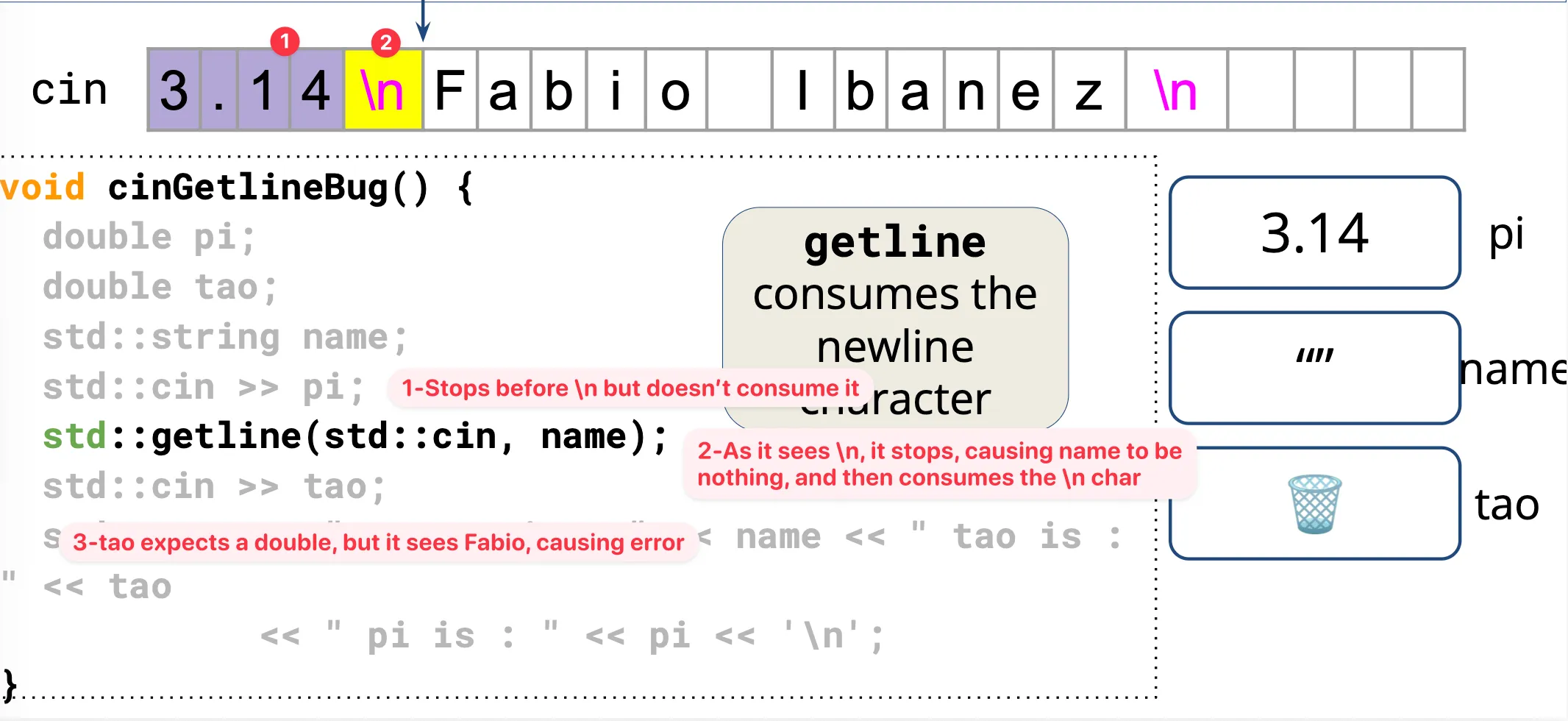 std::cin vs std::getline.
std::cin() leaves the newline in the buffer, while getline() get rid of (or consumes) it.
Best practice.
- Don’t use
getline()andstd::cin()together. - Separate the process of getting input and the process of extracting the contents.
Example.
// Continuously receiving input
while(true) {
    std::string userinputLine;

    // 1. Get a complete line
    if (!std::getline(std::cin, userinputLine)) {
        break;
    }

    // 2. Pass it to a stringstream to process it
    std::istringstream iss(userinputLine);

    int x;
    iss >> x;
    // 3. Failure or EOF detection
    if (iss.fail() || !iss.eof()) {
        std::cout << "Invalid input\n";
    } else {
        std::cout << "You entered: " << x << '\n';
    }
}